
Why Is Smart TV Sound Not Working and How Experts Fix It
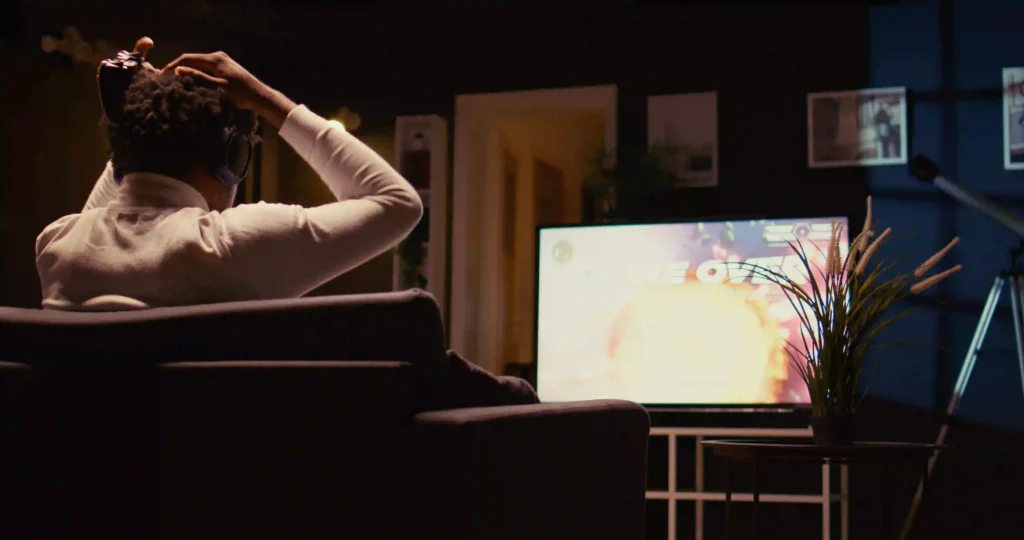
Smart TV sound not working can be confusing, especially when the picture is perfect but there is no audio. This issue can happen due to simple settings, connection problems, or internal faults. Before you think about a major TV repair, it is important to understand the real cause. With expert support from TV Serviz, you can identify issues early and get the right solution. In this guide, you will learn why sound problems occur and how experts fix them quickly with the right TV service.
Common Reasons Why Smart TV Sound Is Not Working
Smart TV sound problems can occur for several reasons, ranging from simple setting mistakes to internal faults, so identifying the exact issue is important before choosing a tv repair solution.
- TV may be on mute or volume level is too low
- Audio output is set to an external device instead of TV speakers
- HDMI or audio cables are not properly connected or are faulty
- Issues with connected devices like DTH box or streaming devices
- Minor software bugs interrupting normal sound function
- Damage to internal speakers or sound-related components
Knowing these reasons helps you understand whether it’s a quick adjustment or if you need expert tv service to fix the problem properly.
Quick Check
Before calling a technician, try a simple power reset: unplug your TV for 60 seconds, then plug it back in. This fixes about 20% of common TV issues.
Basic Checks Before Calling a TV Repair Service
Before contacting a professional tv repair service, it’s always better to try a few simple checks that can quickly restore your TV sound.
- Check Volume and Mute Settings – Make sure the TV is not on mute and the volume level is properly increased
- Inspect External Device Connections – Ensure HDMI and audio cables are firmly connected and not damaged
- Verify Audio Output Settings – Confirm the sound output is set to TV speakers and not to an external device
These basic steps can often fix the issue instantly and help you avoid unnecessary tv service calls.
Hardware Issues That Cause Sound Problems
In some cases, Smart TV sound failure is linked to internal hardware faults that cannot be solved through basic settings and usually require expert tv repair support.
- Damaged TV speakers – Sound may stop or become unclear due to long-term usage
- Defective sound IC – The audio chip may fail, causing no sound output
- Mainboard faults – Issues in the TV motherboard can interrupt audio signals
- Disconnected internal wiring – Loose or damaged wires inside the TV affect sound
- Power-related damage – Voltage fluctuations can impact audio components
These types of issues need proper testing and handling by a professional tv service technician.
Software or Settings Issues Affecting TV Sound
In many cases, Smart TV sound problems are caused by software errors or incorrect settings, which can often be fixed without major tv repair.
- Incorrect audio settings – Sound output may be set to the wrong device
- Muted apps or channels – Some apps may have separate volume controls
- Outdated TV software – Old firmware can cause sound issues
- Temporary system bugs – Minor software issues can interrupt audio
- Audio format mismatch – Unsupported formats may result in no sound
Checking and adjusting these settings issues can often restore sound quickly without needing professional tv service.
How Experts Identify Smart TV Sound Problems
When basic checks don’t solve the issue, professionals use proper inspection methods to find the exact cause of Smart TV sound problems before starting any tv repair.
- Initial sound testing – Checking if the issue is with speakers or settings
- Audio output inspection – Verifying internal and external sound pathways
- Hardware component check – Testing audio IC, speakers, and motherboard
- Software analysis – Identifying system errors or firmware-related issues
- Advanced tools testing – Using professional equipment for accurate results
This step-by-step process helps ensure the right solution is applied through expert tv service without unnecessary repairs.
How Professionals Fix No Sound Issues in TVs
Once the exact problem is found, experts follow the right repair methods to restore sound and ensure smooth performance through reliable tv repair.
- Adjusting audio settings – Correcting wrong sound configurations
- Repairing or replacing speakers – Fixing damaged internal speakers
- Fixing audio IC or motherboard issues – Resolving internal component faults
- Software update or reset – Clearing system errors affecting sound
- Cable and port repair – Replacing faulty HDMI or audio ports
These professional solutions ensure your TV sound is restored properly with long-lasting results through expert tv service.
When to Call Professional TV Service for Sound Issues
While many sound problems can be fixed with basic steps, some situations clearly show that deeper attention is needed to restore proper audio performance.
- No sound even after basic checks – Issue continues after trying all simple fixes
- Unclear or uneven audio – Sound quality becomes low or inconsistent
- Sound keeps turning on and off – Indicates possible internal or signal issues
- Signs of internal faults – Problems related to speakers or motherboard
- Sound stopped after power issues – Electrical changes may affect audio parts
Recognizing these conditions helps you take the right step at the right time and choose a reliable tv repair and tv service when required.
Safety Warning
Never attempt to open your TV panel yourself. TVs contain capacitors that can hold dangerous electrical charges even when unplugged. Always use a certified technician.
Tips to Prevent Smart TV Sound Problems
Taking a few simple precautions can help you avoid common sound issues and keep your TV audio working smoothly for a longer time.
- Maintain stable power supply – Avoid sudden voltage changes that can affect audio components
- Check cables regularly – Ensure HDMI and audio cables are properly connected and not damaged
- Update TV software – Keep firmware updated to prevent sound-related issues
- Use correct audio settings – Set the right sound output based on your setup
- Handle devices carefully – Avoid physical damage to speakers and internal parts
Following these simple steps can reduce the chances of sound problems and help maintain consistent audio performance over time.
Need Expert TV Repair?
Get a certified technician at your doorstep within 60 minutes.
Conclusion
Smart TV sound issues can happen due to simple settings, connection problems, software errors, or internal hardware faults. By following basic checks and understanding common causes, many problems can be identified early. For complex issues, expert help ensures accurate identification and proper fixing. Regular care, correct settings, and stable usage can help maintain clear and consistent sound performance.
Why Choose Us
- Licensed & Insured Technicians
- Same-Day Service Available
- Upfront, Transparent Pricing
- 100% Satisfaction Guarantee
- 10+ Years of Experience